Interactive mechanism of action
A step-controlled animation of the mechanism of action, advanced by the HCP rather than played at them.
 Book a meeting
Product pages
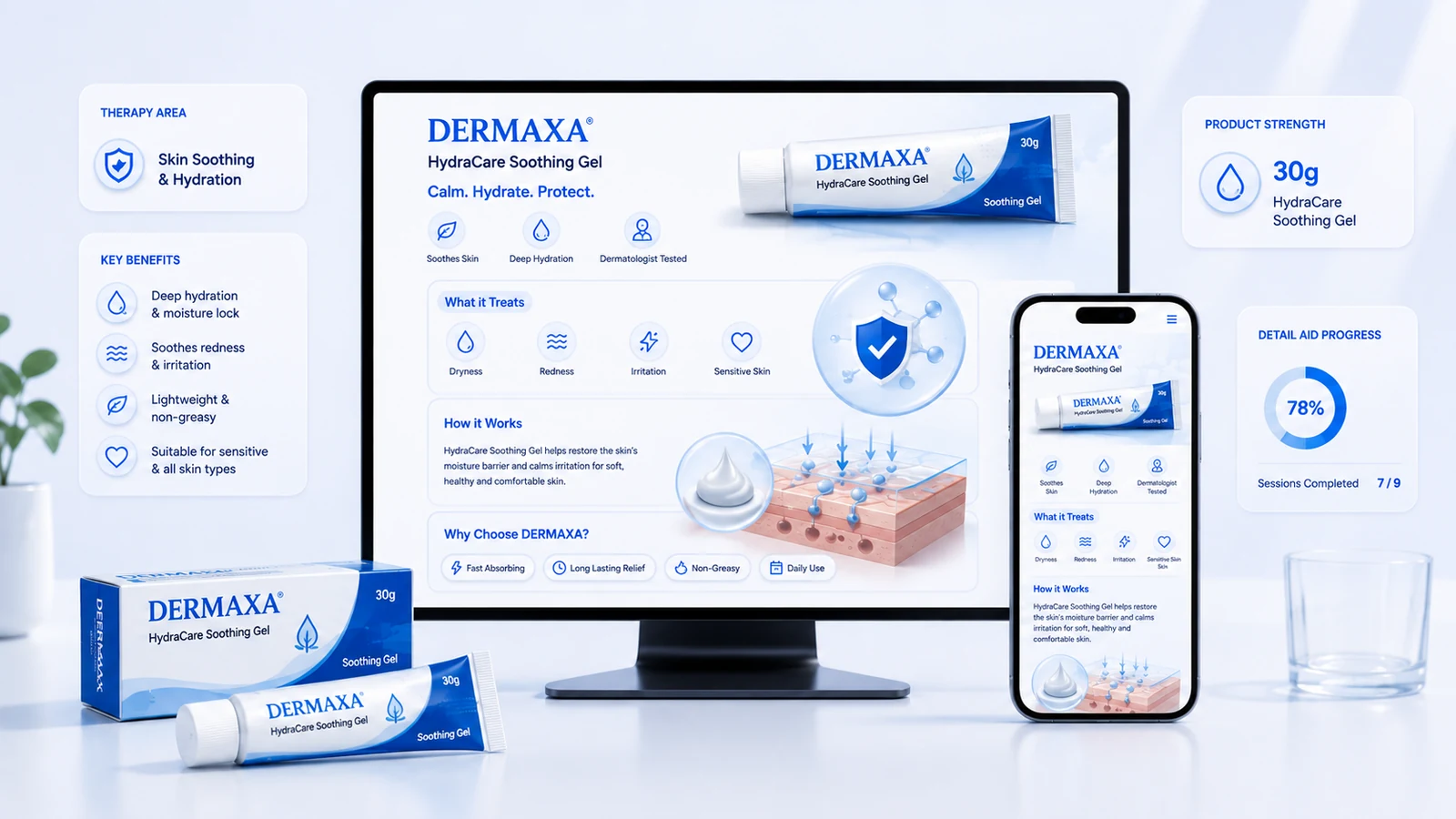
Interactive product pages for a brand, published inside the HCP portal so every section view is attributed to a named professional. One destination for every campaign on that product: email, WhatsApp, congress and rep follow-up.
The problem
A rep leaves a detail aid on a desk. The brand manager knows how many were printed and how many visits were made, and nothing after that.
Which section held attention, which claim prompted a question, whether a physician went back to it a week later: none of it exists, because paper has no return path. The same brand then runs digital campaigns that link to a PDF, which is paper with a download counter.
This is not a failure of the printed aid. It is a channel that was never built to send anything back. A product page is the same approved content, published so that the return path exists.
What we build
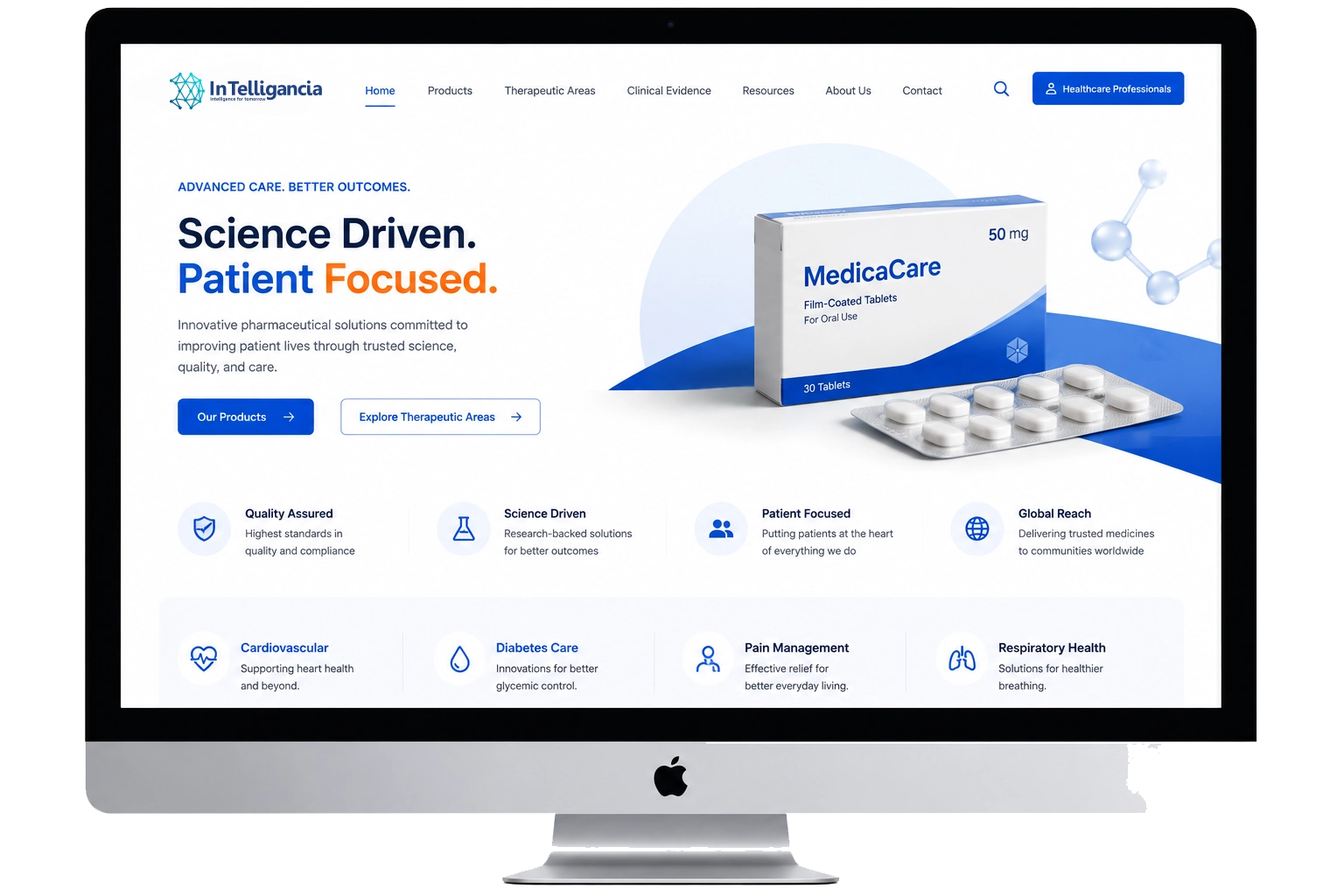
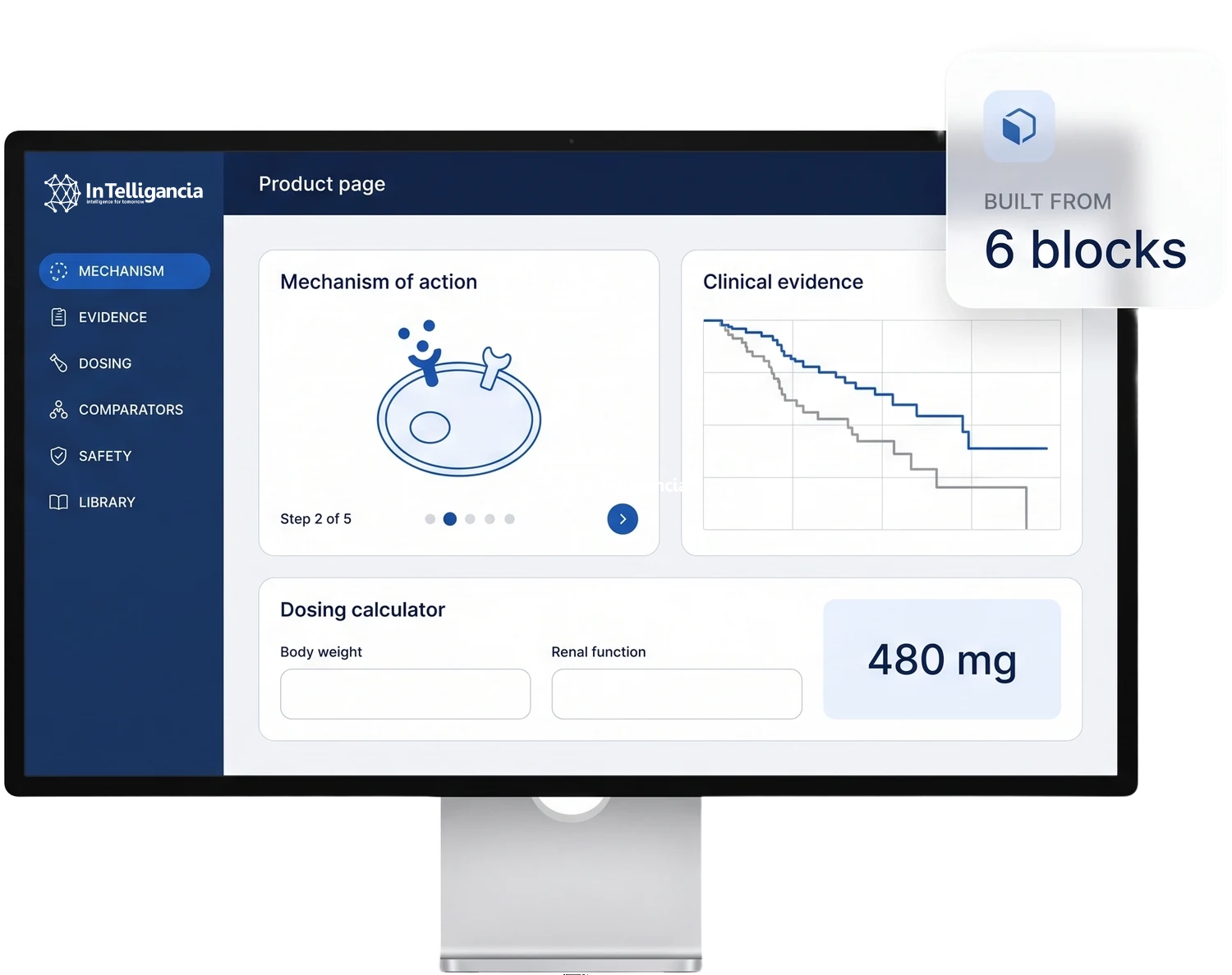
Six blocks, built once per product and maintained as the approved material changes. Each one is a reason for an HCP to stay on the page rather than close it.
A step-controlled animation of the mechanism of action, advanced by the HCP rather than played at them.
Pivotal trial data as interactive charts, with the full publication and reprint available without leaving the page.
Weight-based dosing, renal adjustment and titration schedules, used on the page rather than downloaded.
Structured comparison against the standard of care, where the data supports it and medical approves it.
Approved safety information and the current SmPC, held in one place and replaced when the document changes.
Reprints, patient support materials, guidelines and slide sets, with every download logged against the HCP profile.
Structure
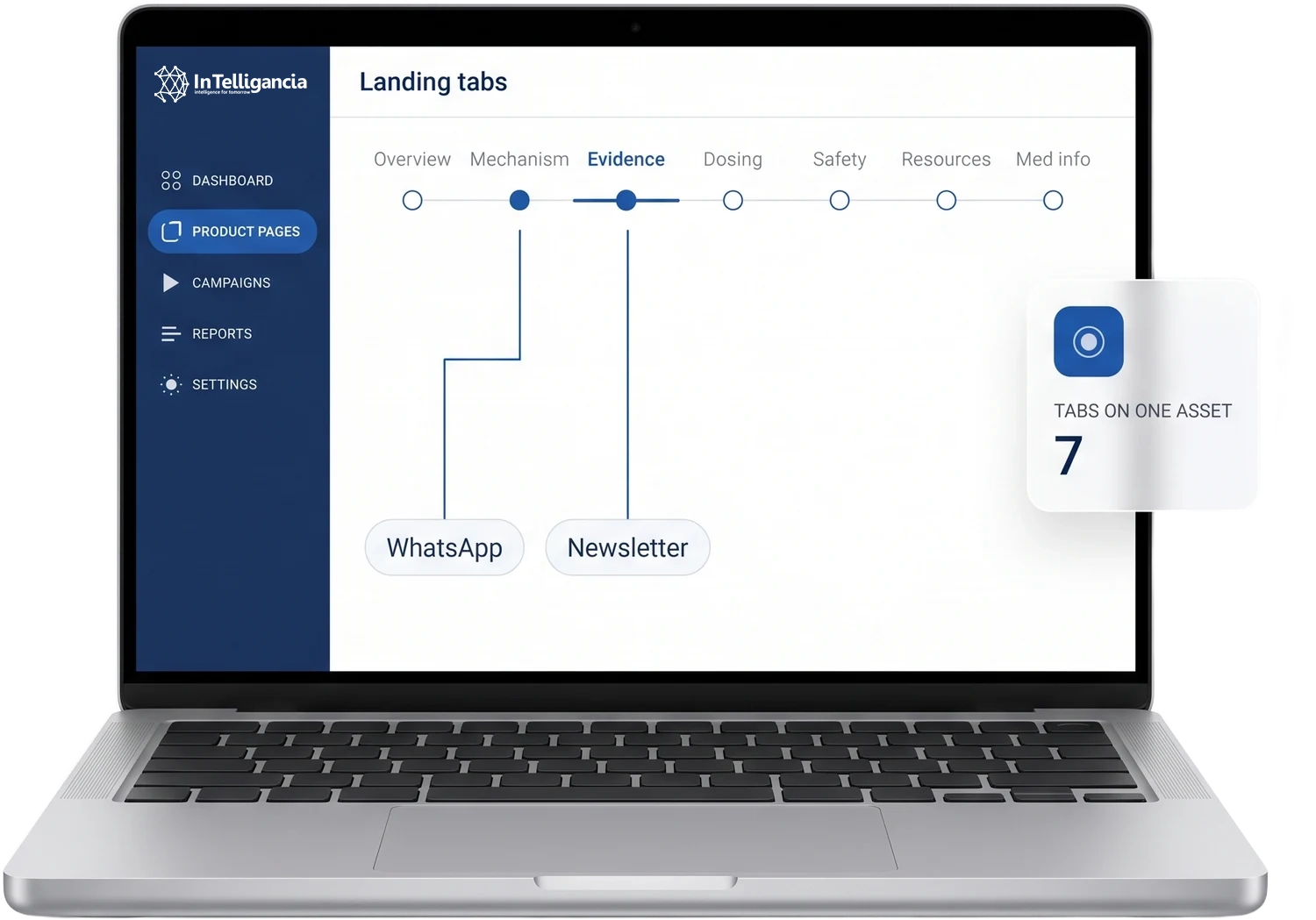
A product page is divided into tabs, and each tab is a campaign destination in its own right. The efficacy tab is where the newsletter lands, and the mechanism of action tab is where the WhatsApp campaign lands.
One asset covers overview, mechanism of action, clinical evidence, dosing and administration, safety, resources and medical information requests.
Each campaign points at the tab that matches its message, so nobody rebuilds a landing page for every send.
Reporting comes back split by tab, and which tab an HCP opened is a clearer signal than which email they opened.
A visit, end to end
Every visit follows the same path, and each step leaves a record. This is what one HCP visit produces.
An email, a WhatsApp message, a rep follow-up or a congress QR code carries the HCP to a specific tab.
RecordedSource channel and landing tabThe page sits inside the HCP portal, so the visitor is already identified rather than an anonymous session.
RecordedNamed HCP, specialty, registered countryThe HCP steps through the mechanism of action, expands the evidence and opens the sections that matter to them.
RecordedTab order, time per section, evidence expandedReprints, guidelines, patient materials and slide sets are taken from the library.
RecordedEach document, against the profileThe HCP registers for a webinar, requests a rep visit, asks medical information, or requests a sample where that is locally permitted.
RecordedCTA type, and an alert on a high-intent actionThe visit is written back to the HCP profile, so a rep picking up the request arrives with the browsing history already attached.
RecordedEngagement score and next best action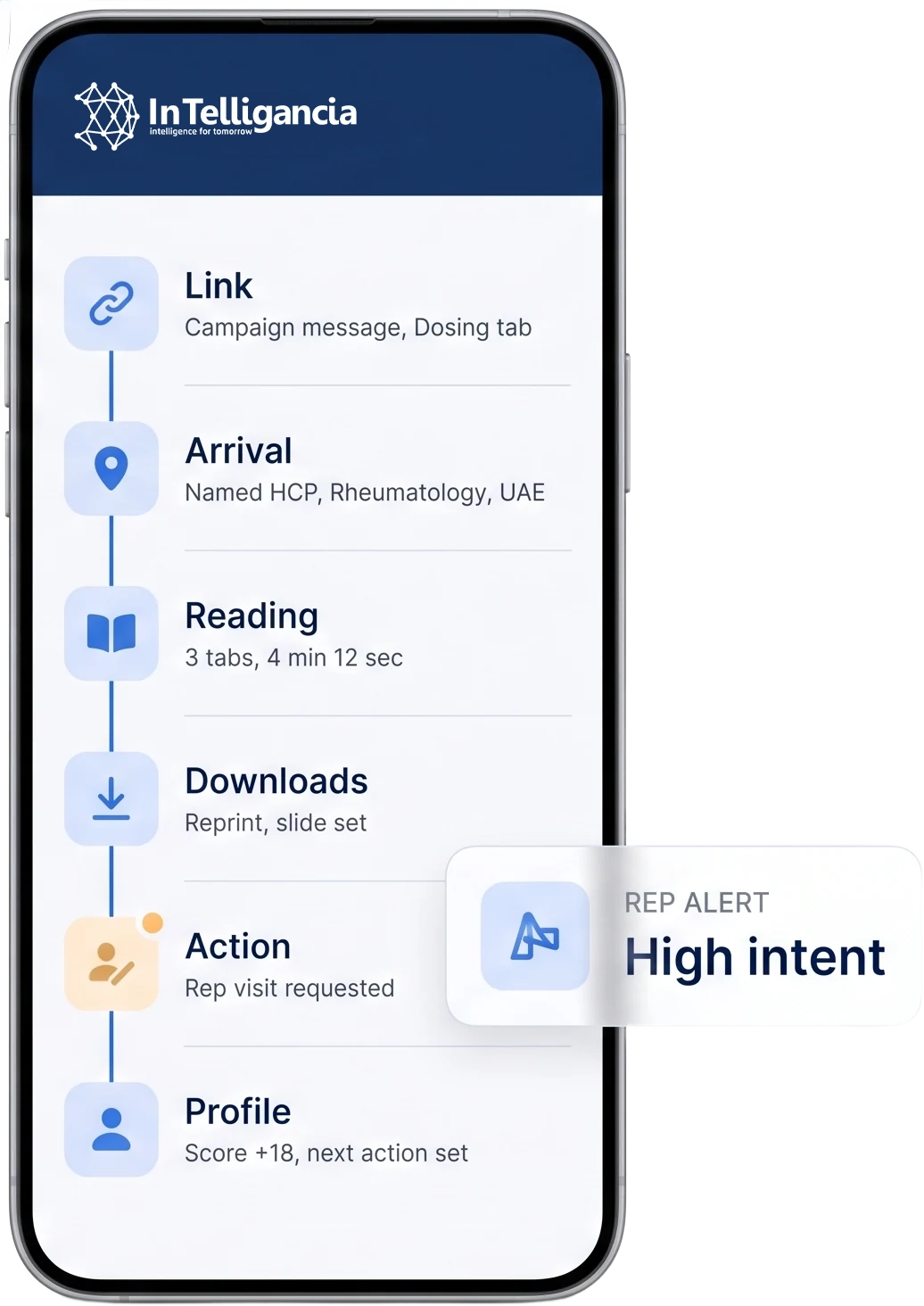
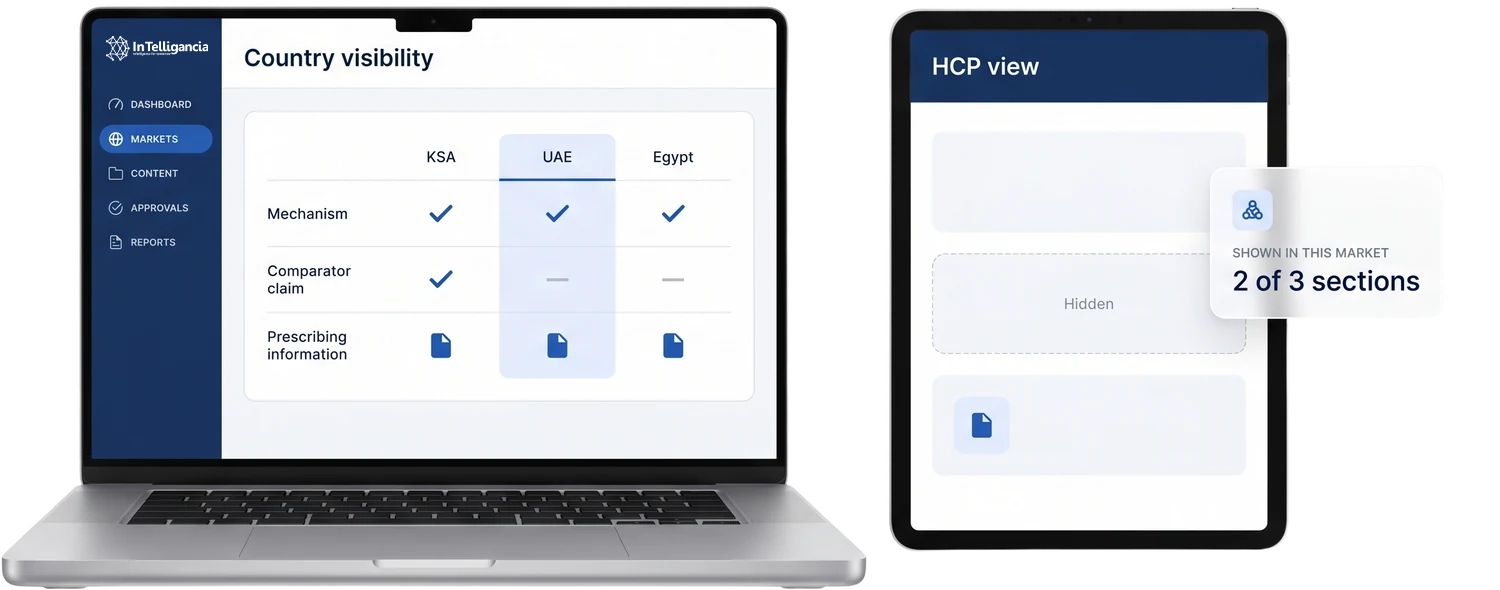
Country control
Approved indications differ by market, and so do prescribing information, available presentations and what a brand is permitted to say. Country-level control on a single asset is the alternative to maintaining a separate build per market.
Reporting
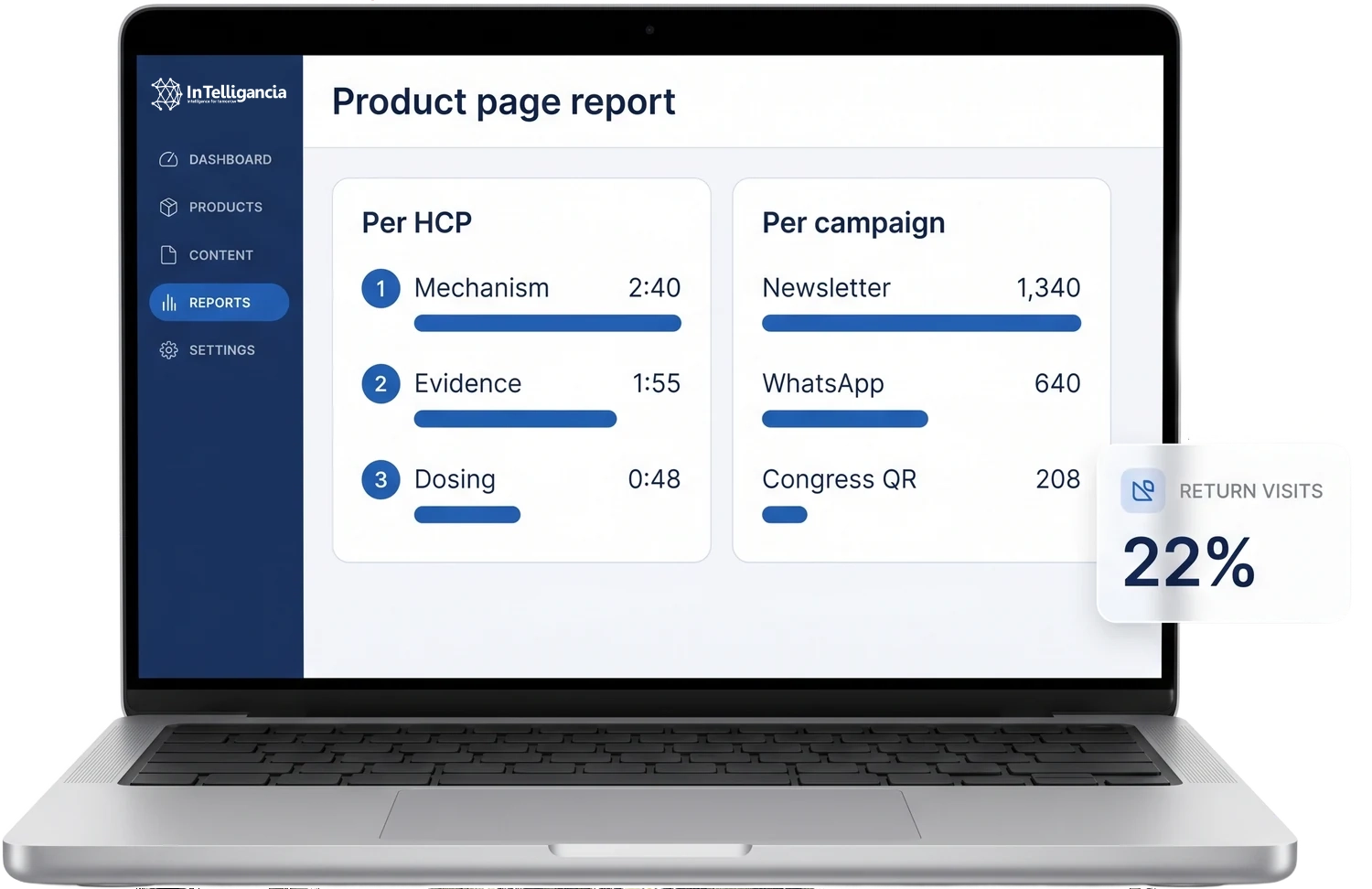
A visit is not a number. Every product page returns the same two views — what one physician did on it, and what a campaign produced across all of them.
How it connects
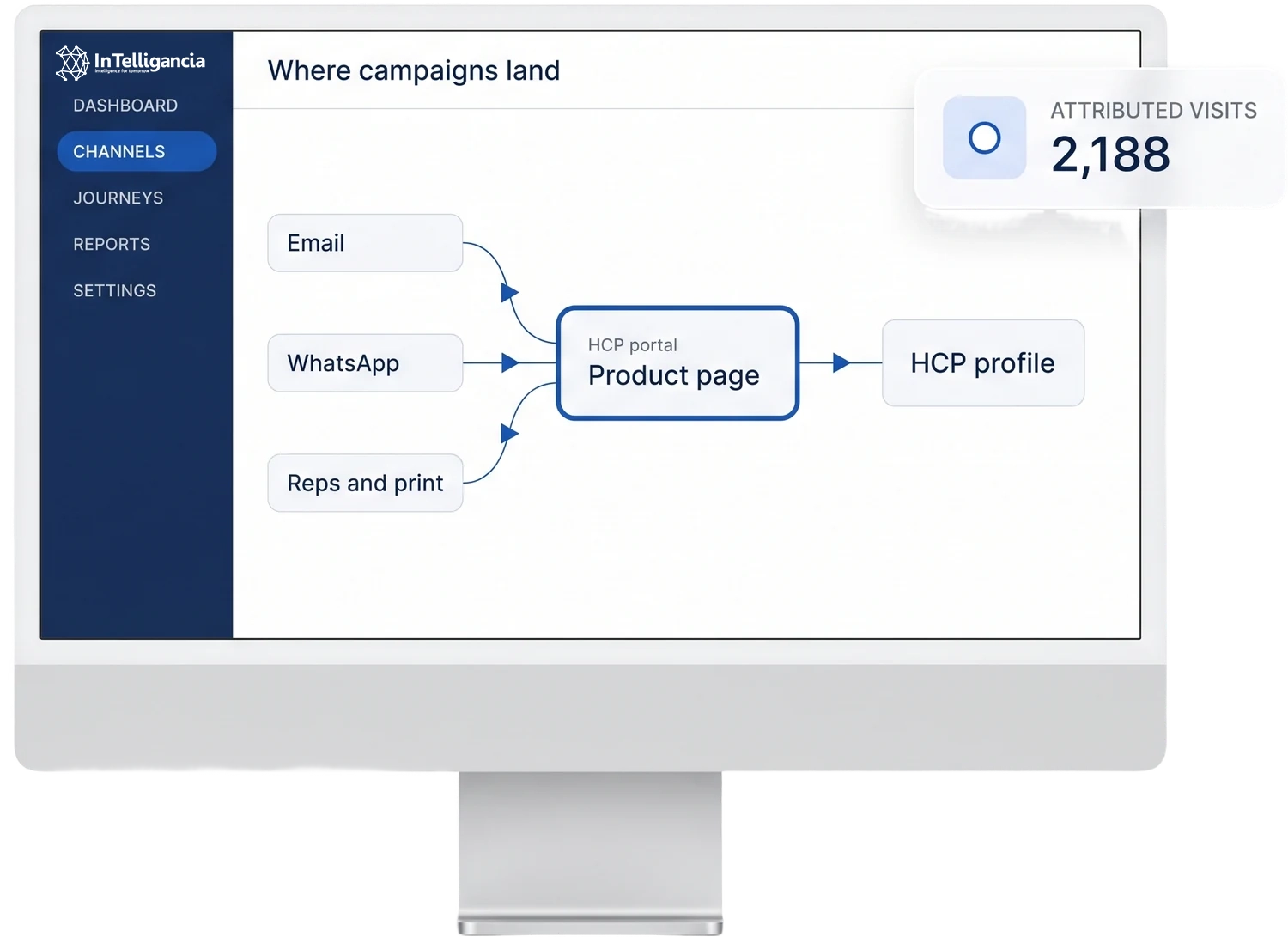
On its own, a product page is a well-built microsite that nobody visits. Inside the programme, it is the point where the other channels are measured.
Newsletters and product campaigns link straight to the relevant tab, and the visit is attributed back to the send.
Campaign links land on the tab that matches the message, so a short message can point at a long answer.
The page lives on the portal, so the visitor is identified before they read anything.
Follow-up links and congress QR codes give offline material a digital trace it did not have.
Registration CTAs feed the session on that molecule, and the registration carries the source page with it.
Every interaction scores the profile and updates the next best action for that HCP.
Questions
We build the page, the interactions and the animations. Content, claims and data come from your brand and medical teams. Everything goes through your approval process before publication.
The page is submitted for approval like any other promotional material, as a complete asset with all states and interactions documented. Post-approval changes go through the same process, and version history is retained.
Yes. Content, visibility and scheduling are managed from the dashboard, so approved changes go live without a development cycle.
Each product gets its own page, but the framework, components and interaction library are shared across them. The second product takes less work than the first.
Yes. It works on a tablet in a face-to-face detail, and the same asset serves self-detailing when the rep is not there. One asset, both use cases, one reporting stream.
A corporate website does not know who the visitor is. Product pages sit inside the HCP portal behind verified registration, so every interaction is attributed to a named, specialty-tagged and country-tagged professional rather than to an anonymous session.
The whole point
Every channel writes back to the same profile. One record per doctor, one score, one next action — whichever channel produced the signal.
Book a meeting